Alarm Clock: Alarm App & Sleep
- 4.2
- Rating
- 500.00K
- Installs
- Free
- Price
 Analysis by App-foxy
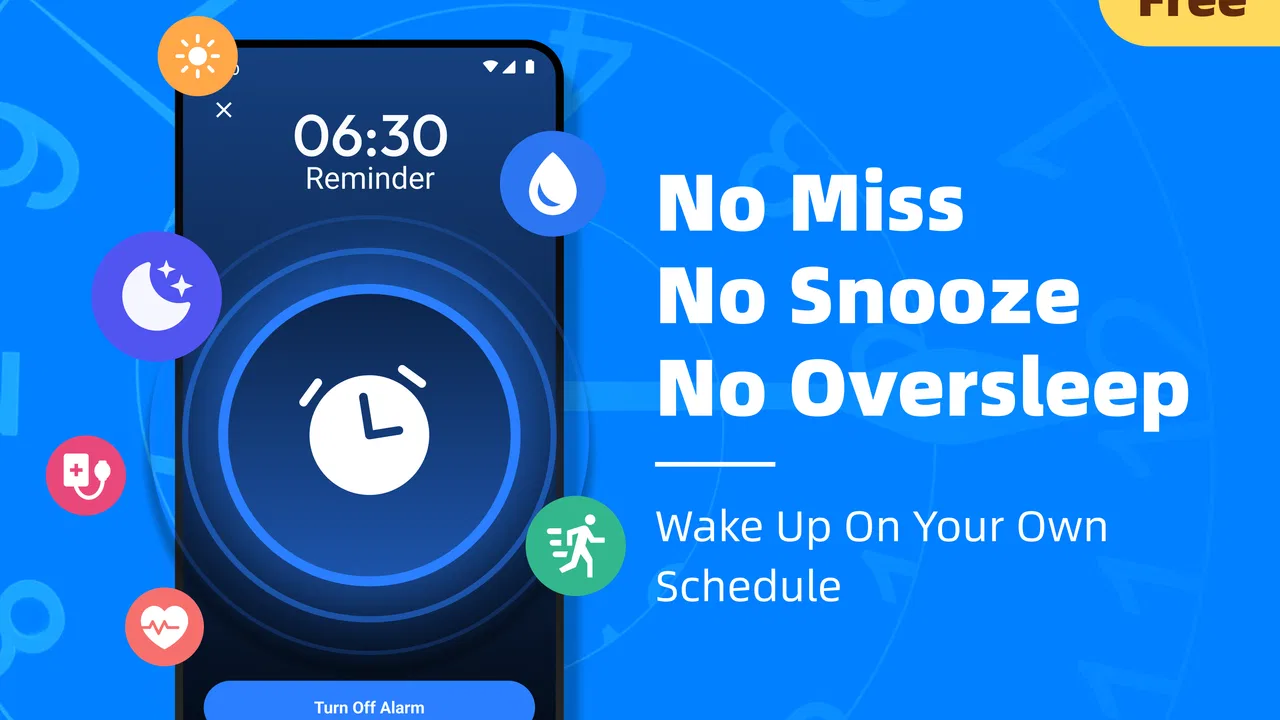
Missing an alarm once is annoying; missing it repeatedly can disrupt an entire morning. I know the familiar routine: set a standard alarm, silence it while half asleep, and then wonder why the room is suddenly bright. Alarm Clock: Alarm App & Sleep is built around that specific problem. It is a free productivity app from Revoke that focuses on making wake-up alerts harder to ignore, while also adding sleep reminders, repeat schedules, and custom tones.
After using it as a dedicated wake-up tool, I found its appeal fairly clear. It is not trying to become a complete sleep-tracking platform or a general task manager. Its value comes from concentrating on the moment when ordinary alarms fail. That narrow focus makes it useful for heavy sleepers, people with changing work schedules, and anyone who wants a more deliberate bedtime-and-wake-up routine rather than a single notification that is easy to dismiss.
Why this alarm is useful when ordinary reminders fail
The biggest strength here is that the app treats waking up as a repeated daily workflow instead of an isolated alert. A normal phone alarm may be enough for a light sleeper, but it often becomes background noise for someone who is tired, sick, working irregular hours, or sharing a room with another person. The louder alarm approach makes sense for those situations, especially when a missed start has practical consequences.
You May Also Like

 Blood Strike: 2.5 Anniversary
Blood Strike’s Loadouts Turn Every Drop Into a Tactical Gamble
A close look at Blood Strike’s custom loadouts: how fast access to signature weapons reshapes its battle royale rhythm, rewards preparation, and narrows the gap between fights.

 Pandora - Music & Podcasts
Pandora’s Music Is Easy to Start, but Harder to Recover
Pandora’s strength is its low-effort path from a seed to a station. Its weak spot is how much confidence it asks you to place in connection, setup, and quiet recovery.

 8 Ball Pool
 Is Built on Rivalries, Rematches, and Routine
A close look at the rivalries, rematches, shared routines, and unanswered safety questions that turn a quick pool match into a persistent mobile community.

 Samsung Music
’s Quiet Strength Is Playing What You Already Own
Its reach comes less from spectacle than from dependable access to a personal library. That simplicity is both the app’s strongest retention engine and its ceiling.

 AccuWeather: Weather Radar
AccuWeather Review: A Quick, Clear Forecast for Everyday Decisions
For everyday plans, the best forecast is the one you can understand quickly. AccuWeather makes rain timing, radar, and local conditions easy to act on, with a few trade-offs.

 Hill Climb Racing
Why Hill Climb Racing Still Turns Crashes Into One More Run
A tiny car, a bumpy hill and one more upgrade: Hill Climb Racing keeps resurfacing because its simple chaos makes every near-miss feel personal.
More From Our News Desk
View All News


I also like that the app sits in the productivity category rather than presenting itself as a complicated wellness system. The goal is straightforward: help me get out of bed on time and remember when I should begin winding down. That makes the experience easier to understand. I do not have to interpret sleep charts before deciding whether the alarm did its job.
The app has already reached over 500 thousand installs and holds a 4.2 average from around 934 ratings, which suggests that the basic idea connects with a substantial group of users. Those figures do not guarantee that it will suit every phone or sleeping habit, but they do make it feel more established than an obscure alarm utility. It is free, and its Everyone age rating also makes it approachable for households looking for a simple wake-up option.
A first setup that is worth doing carefully
The first useful setup is not simply choosing a loud tone and saving an alarm. I recommend creating one alarm for a normal weekday and another for days with a different start time, rather than constantly editing the same entry. Repeating schedules are more practical when they reflect real routines: workdays, school mornings, weekend commitments, or rotating shifts.
Custom tones are especially important. A sound that is effective for one person may become easy to ignore after several mornings. I would begin with a tone that is clearly different from common phone notifications, then test it during the day at a comfortable volume. The purpose is not to make the alarm unpleasant for its own sake; it is to make the alert distinct enough that my half-asleep brain does not classify it as an ordinary message.
Sleep reminders deserve equal attention. If I only set a wake-up alarm, I am still relying on a late-night bedtime and hoping the morning alert can compensate. A reminder before bed creates a small decision point: finish what I am doing, prepare for tomorrow, and give myself a better chance of responding to the alarm. That is a more useful workflow than adding several increasingly desperate alarms after going to sleep too late.
One practical tip is to use repeat settings for stable commitments and custom one-time alarms for unusual days. This reduces the risk of changing a recurring schedule and forgetting to restore it. It also keeps the alarm list easier to understand when I am tired. The less I need to inspect in the morning, the less likely I am to make a mistake.
How it fits into an ordinary day
Imagine a morning shift that begins earlier than usual. I can set a repeated alarm for the regular workdays, add a sleep reminder far enough ahead to finish my evening routine, and choose a tone that I do not associate with incoming calls. The next morning, the app is doing more than displaying the time: it is reinforcing a sequence I prepared the night before.
For students, the useful scenario is slightly different. A weekday schedule may stay consistent while weekends change, so separate repeat patterns can prevent an early alert from interrupting a day off. A student who studies late can also use the sleep reminder as a boundary, not as a command. If the reminder appears while an assignment is unfinished, it provides a prompt to decide whether continuing is genuinely necessary.
People who work rotating schedules may get the most from the app’s repeat and custom-sound combination. Their problem is not always volume; it is remembering which alarm belongs to which kind of day. A distinct tone for an early shift and another for a later start can reduce that mental load. This is a small but non-obvious advantage: the sound itself can become a quick cue about the day ahead.
It can also help parents or caregivers who need a dependable personal alarm without turning the entire routine into a complicated system. The app is suitable when the main requirement is a clear alert and a reminder to prepare for sleep. It is less suitable when several people need synchronized schedules or when the alarm must coordinate with external devices.
Where the app removes friction
The app’s strongest design choice is its concentration. Instead of making me navigate a broad collection of calendars, habits, sleep scores, and productivity dashboards, it keeps attention on alarms and bedtime prompts. That saves time during setup and makes the app easier to return to after a long day.
Repeat schedules remove one of the most common sources of alarm mistakes: manually recreating tomorrow’s wake-up time. Custom tones remove another source of confusion, because a dedicated alarm sound is easier to distinguish from a notification or call. Together, these features turn the app into a small routine manager rather than just a louder version of the phone’s default alarm.
There is also a useful trade-off in having sleep reminders alongside alarms. The reminder does not magically improve sleep, but it gives the evening a visible endpoint. I found that this is most helpful when paired with a simple action, such as putting the phone on charge, preparing clothes, or checking the next morning’s schedule. Without that action, the reminder can become another alert to dismiss.
The time-saving benefit is not the number of options; it is avoiding repeated alarm maintenance. Once the recurring schedule and tones are set, the daily interaction becomes lighter. That matters for anyone who has ever lost several minutes checking whether an alarm was enabled, changing its time, and then worrying about whether the change affected future mornings.
Compared with the default clock app, this utility is more appealing when loudness, repeated patterns, bedtime prompts, or custom tones are the reason I am looking for an alternative. The default option may still be better for someone who wants the fewest possible apps and already wakes reliably. Compared with a full sleep app, Revoke’s alarm tool is more direct: it does not need to be justified by charts or long-term sleep analysis. That simplicity is an advantage when the actual problem is simply getting up.
Small habits that make the setup more dependable
I would avoid setting a dozen alarms a few minutes apart. That pattern can teach me to negotiate with the alarm instead of responding to it, and it makes the schedule harder to read. A better approach is one primary alarm, a sensible repeat pattern, and a tone that is unmistakable. If I need a backup, I would place it far enough away to represent a real fallback rather than another snooze step.
Another useful habit is checking the alarm before an unusual morning. A schedule that works on weekdays may not cover a holiday, appointment, travel day, or shift change. Spending a moment the previous evening is faster than discovering the mistake after the intended wake-up time. This is not a criticism of the app; it is the unavoidable part of using any alarm that depends on a schedule I created.
I would also keep the phone positioned where the sound can be heard without making it impossible to reach in an emergency. Putting it directly beside the pillow makes automatic dismissal tempting, while placing it too far away can be impractical. The best position depends on the room, but the principle is consistent: make the alarm audible and make the first action deliberate.
Testing a custom tone before relying on it is another overlooked step. A tone may sound powerful through a daytime preview yet blend into the background at night, or it may be so abrupt that it disturbs everyone nearby. The right choice depends on the sleeper and the room. The app gives me the flexibility to adjust that choice, but it cannot make the decision for me.
Limitations that matter before switching
A louder alarm is not a complete solution for every heavy sleeper. If someone regularly sleeps through strong sounds because of exhaustion, illness, medication, hearing loss, or an irregular sleep pattern, an app alone may not be enough. In that situation, a physical alarm, vibration-based device, or support from another person may be more appropriate. I would treat this app as a practical tool, not a guarantee.
There is also a social cost to volume. A tone that successfully wakes one person can wake a partner, roommate, child, or neighbor. Custom tones help with choice, but they do not remove the basic trade-off between being hard to miss and being disruptive. Shared bedrooms may benefit more from a quieter alert combined with another wake-up method than from simply increasing loudness.
Users who want deep sleep analysis, smart-device integration, or a broad habit program may find this app too focused. Its appeal is precisely that it does not turn the alarm into a large personal-health project. If I want detailed trends, coaching, or connected hardware controls, I would look at a more specialized alternative. If I mainly need a dependable alarm with reminders and repeat behavior, that extra complexity may be unnecessary.
Phone settings still matter. I would check the device’s sound level, notification behavior, battery habits, and any system restrictions that could affect an alarm app. These are not unique shortcomings of Revoke, but they are important because a well-configured alarm can still be undermined by the phone itself. The app should be part of a reliable morning setup, not the only thing I trust without testing.
Who should use it and who should skip it
I would recommend Alarm Clock: Alarm App & Sleep to heavy sleepers who want a stronger alternative to the basic clock, people with recurring weekly schedules, and anyone who benefits from a visible prompt to begin winding down. It is also a sensible choice for users who want to try a dedicated alarm without paying for it. The current version is 1.25.1, and it supports devices running Android 8.0 or later, so compatibility should be checked before installation on an older phone.
I would skip it if my only requirement were a silent vibration, a sophisticated sleep report, or seamless coordination with a larger smart-home setup. I would also think twice if I share a thin-walled room and cannot use a loud sound without disturbing others. In those cases, the phone’s default alarm, a wearable, or a dedicated physical device may solve the actual problem more effectively.
My final impression is positive because the app addresses a recurring annoyance without burying the solution under unnecessary features. Revoke has made a focused productivity tool for people who do not need another dashboard; they need to wake up, remember their schedule, and start the day with less uncertainty. The best results come from thoughtful repeat settings, a tested custom tone, and a bedtime reminder connected to a real evening habit.
It is not a substitute for healthy sleep or a guarantee against every missed morning. Still, for its intended job, it removes several small points of friction that add up over a week. If the default alarm keeps losing the battle with your sleep, this free app is worth trying. Its real strength is dependable routine-building, not simply making more noise.
Alarm Clock: Alarm App & Sleep was released on September 19, 2025, by Revoke. With an Everyone content rating and a straightforward focus, it is easy to recommend as a first alternative to the built-in clock, provided your expectations match what it does best: clearer alarms, repeatable schedules, custom tones, and reminders that help connect bedtime with the next morning.
FAQs for Alarm Clock: Alarm App & Sleep
01What is Alarm Clock: Alarm App & Sleep, and what features does it offer?
Alarm Clock: Alarm App & Sleep is designed to help users wake up on time while also supporting better sleep habits. During testing, the app provided standard alarms, recurring schedules, customizable sounds, snooze controls, and volume options. Depending on the device and app version, it may also include sleep-related tools, bedtime reminders, gentle wake-up features, and information intended to help users maintain a more consistent daily routine.
02Can I customize alarms and create different schedules for weekdays and weekends?
Yes, the app is intended to make alarm scheduling flexible rather than forcing users to rely on one repeated alarm. You can generally create separate alarms, choose the days on which they should repeat, adjust the alarm time, select a sound, and configure snooze behavior. This is useful for maintaining one routine during the week and another on weekends, although some customization options may depend on the version installed.
03Does Alarm Clock: Alarm App & Sleep work when my phone is on silent or Do Not Disturb mode?
Alarm behavior can vary according to your phone model, operating-system settings, battery restrictions, and the permissions granted to the app. In many cases, alarms are designed to sound even when media volume is low, but silent mode, Do Not Disturb rules, or aggressive battery optimization can interfere. Before relying on it for an important appointment, check the app’s permissions and perform a test alarm on your device.
04Does the app include sleep tracking, bedtime reminders, or smart wake-up features?
The app’s sleep-oriented tools may include bedtime reminders, sleep schedules, wake-up guidance, or other features intended to encourage healthier routines. However, users should not automatically assume that every version offers medical-grade sleep tracking or highly accurate sleep-stage analysis. If the app uses phone sensors or optional integrations, results can depend on device placement, permissions, and how consistently the app is allowed to run overnight.
05Is Alarm Clock: Alarm App & Sleep free to download, and are there advertisements or in-app purchases?
The application may be available to download without an upfront charge, but free access does not necessarily mean that every feature is included. Depending on the platform and current release, users may encounter advertising, premium tools, subscription plans, or one-time purchases for additional sounds, sleep features, or advanced settings. Review the store listing and purchase terms before subscribing, especially if a trial period is offered.
Pros
- Multiple alarm schedules support different routines and wake-up times.
- Gradual volume options can make waking up feel less abrupt.
- Sleep-focused tools may help users build a more consistent bedtime routine.
- Simple controls make creating and editing alarms quick for most users.
- Useful for heavy sleepers who need louder alerts and repeated reminders.
Cons
- Some advanced features may be restricted to a paid subscription.
- Frequent alarms can noticeably affect battery life overnight.
- Extra sounds or themes may require downloads or in-app purchases.
- Notification and battery settings can affect alarm reliability on some phones.
- Sleep insights may be limited compared with dedicated sleep-tracking apps.

Alarm Clock: Alarm App & Sleep
Gallery